Agents
Run several agents on one task, side by side.
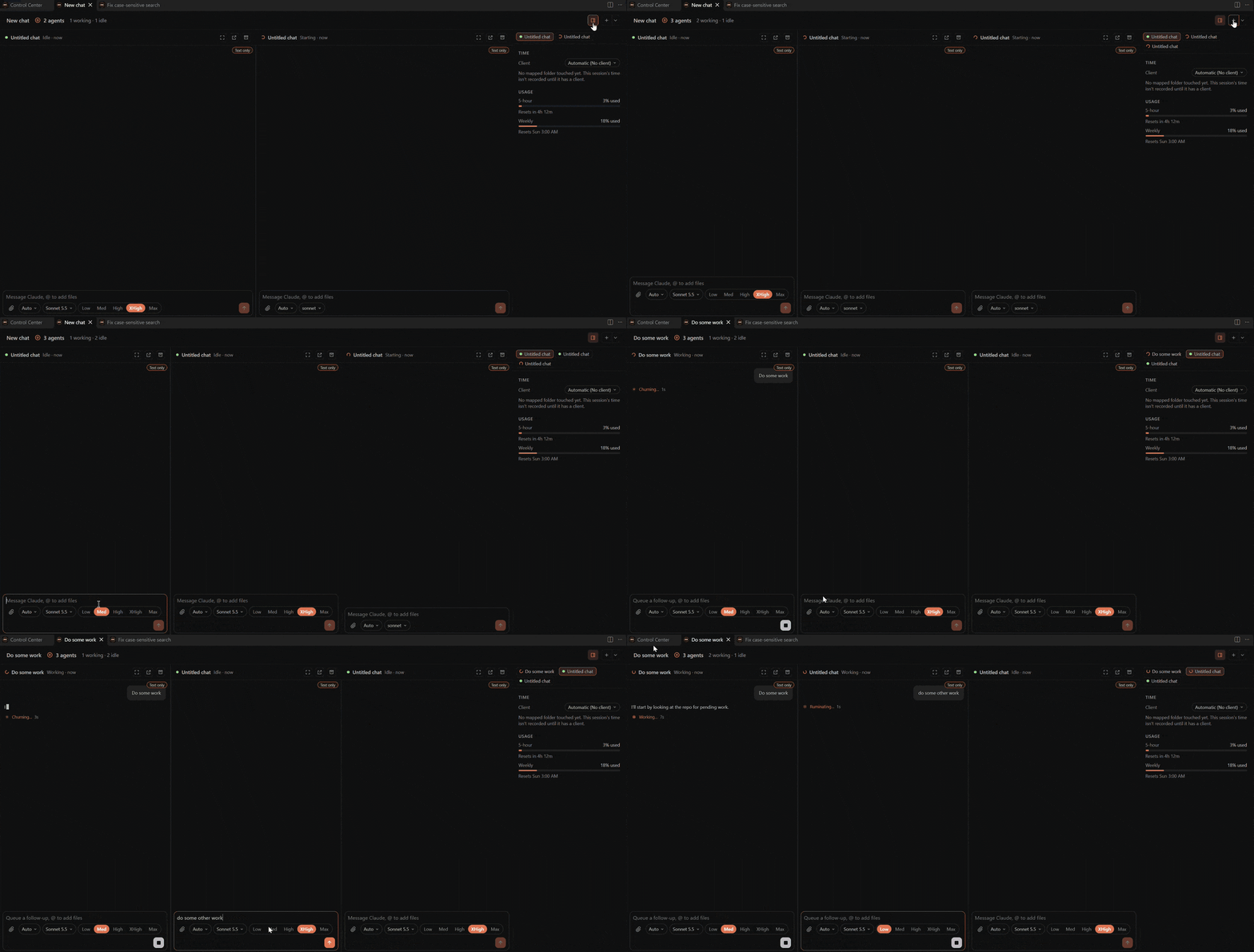
- + in a chat’s header, or in a group grid’s bar, starts another chat in the same folder (optionally with a first message) and opens the group in a grid. The arrow next to it adds an existing chat to the group instead.
- Agents in a group share one Sessions card: it sits in the column of its most urgent agent, lists each agent with its status, and opens them all side by side, in the order they joined, when clicked. Click an agent’s name on the card to open only that agent in its own tab. Archiving the card archives every agent.
- Ask Claude in an Argus chat to start another agent: “create another argus agent in this chat and …” adds it to this chat’s grid, “create another argus agent and …” opens it in its own tab. Claude gives the new agent its first message, and can start it in another folder, such as a git worktree it made, when you want it kept apart.
- Argus: Open Chats Side by Side shows several chats in a grid, each with its transcript and a message box. A tile shows its latest messages and loads earlier ones as you scroll up. Tiles that need you are outlined.
- A details panel on the right (changed files, worktrees, PRs, subagents, usage) follows the tile you click or the tab you pick; the panel button in the bar hides it.
- Each tile’s header can focus it (fill the tab with that agent and its details; click again to go back), pop it out to its own tab, or archive it (as its board card would, removing the tile). A lone agent left in a grid turns back into a single tab; an empty grid closes.
- Double-click a tile’s title, or the group name in the bar, to rename it.
Groups are stored in ~/.claude/argus/board.json (groupOf).