Diff review
Review what a session changed, comment on lines, and send the comments to the agent.
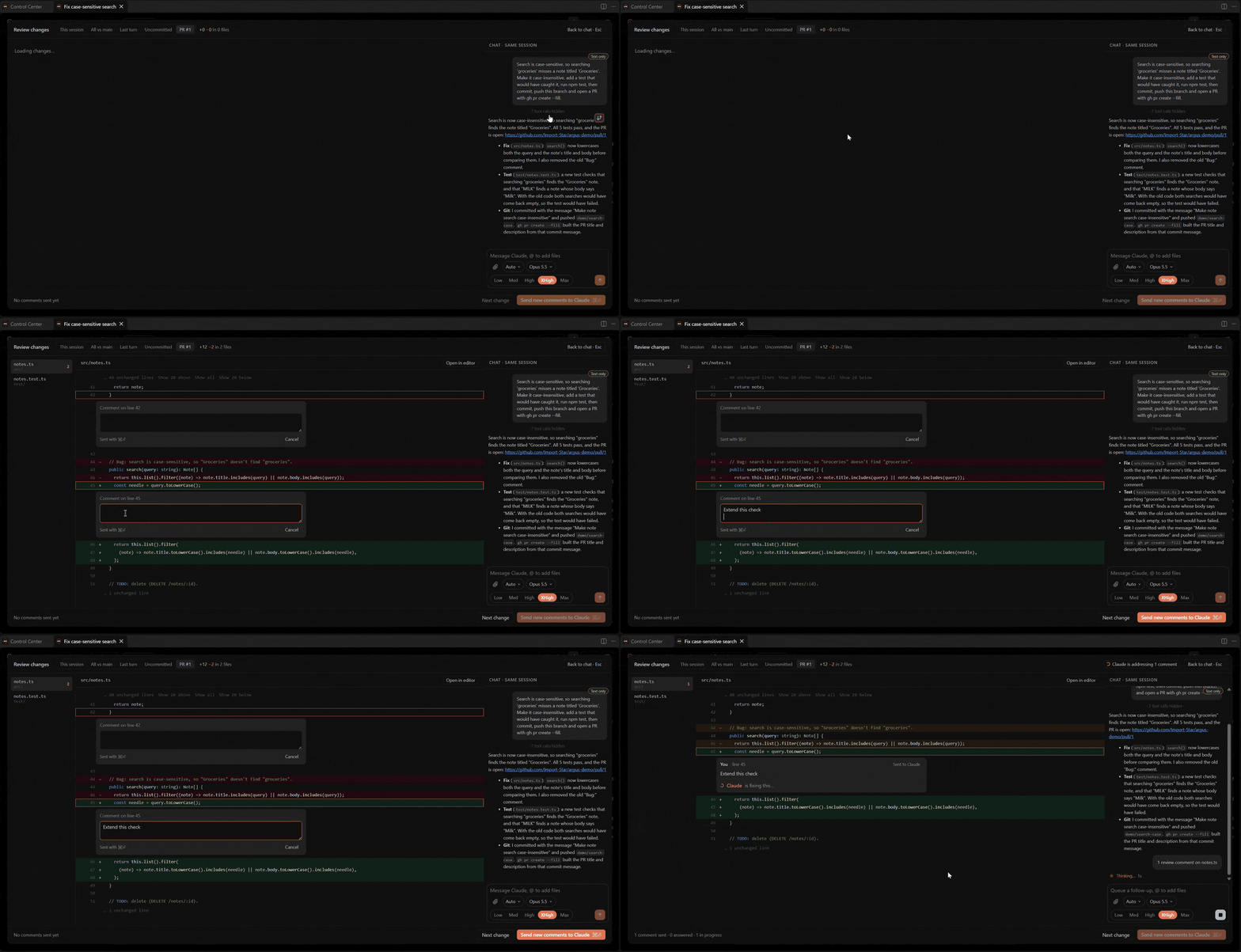
Opening it
- Review changes in a chat’s header.
- Diff next to a worktree or PR in the chat’s details pane.
- Click a file under Changed files in the chat’s details pane.
What you can compare
| Tab | Shows |
|---|---|
| This session | The files this session edited, against their repo’s base branch. |
| All vs main | Everything on the branch against its base (argus.diffReview.baseRef). |
| Last turn | The files Claude changed in its latest turn. |
| Uncommitted | Staged, unstaged and untracked changes. |
| PR | A pull request’s diff. For PRs in the same repo it’s read from your local clone after fetching the PR; gh is the fallback. |
Files in a git repo nested inside the session’s folder (or outside it) are diffed in their own repo, against that repo’s base.
Commenting
Click a line to comment on it, then send the comments to Claude. Each comment gets its own thread with Claude’s answer under it. Unchanged lines between changes are folded; click a gap to expand it (small gaps in full, larger ones 20 lines at a time). Expanded lines can be commented on too.
Long lines wrap. A changed Markdown file has Show rendered in its header to read the new version rendered. Select text to comment on it: the text stays highlighted, the comment shows under that line (list item, table row, paragraph) and is sent on the source line the text is on. Or click a block to comment on its first line. Blocks with added lines are highlighted. Comments on deleted lines show at the top. Show diff goes back.
argus.diffReview.baseRef sets the base branch (empty: origin/HEAD, then origin/main, origin/master, main, master) and argus.diffReview.contextLines the unchanged lines shown around each change.