Control Center
Run Argus: Open Control Center for the full-size view. It holds the Sessions tab, a tab for each installed plugin, and a Settings tab.
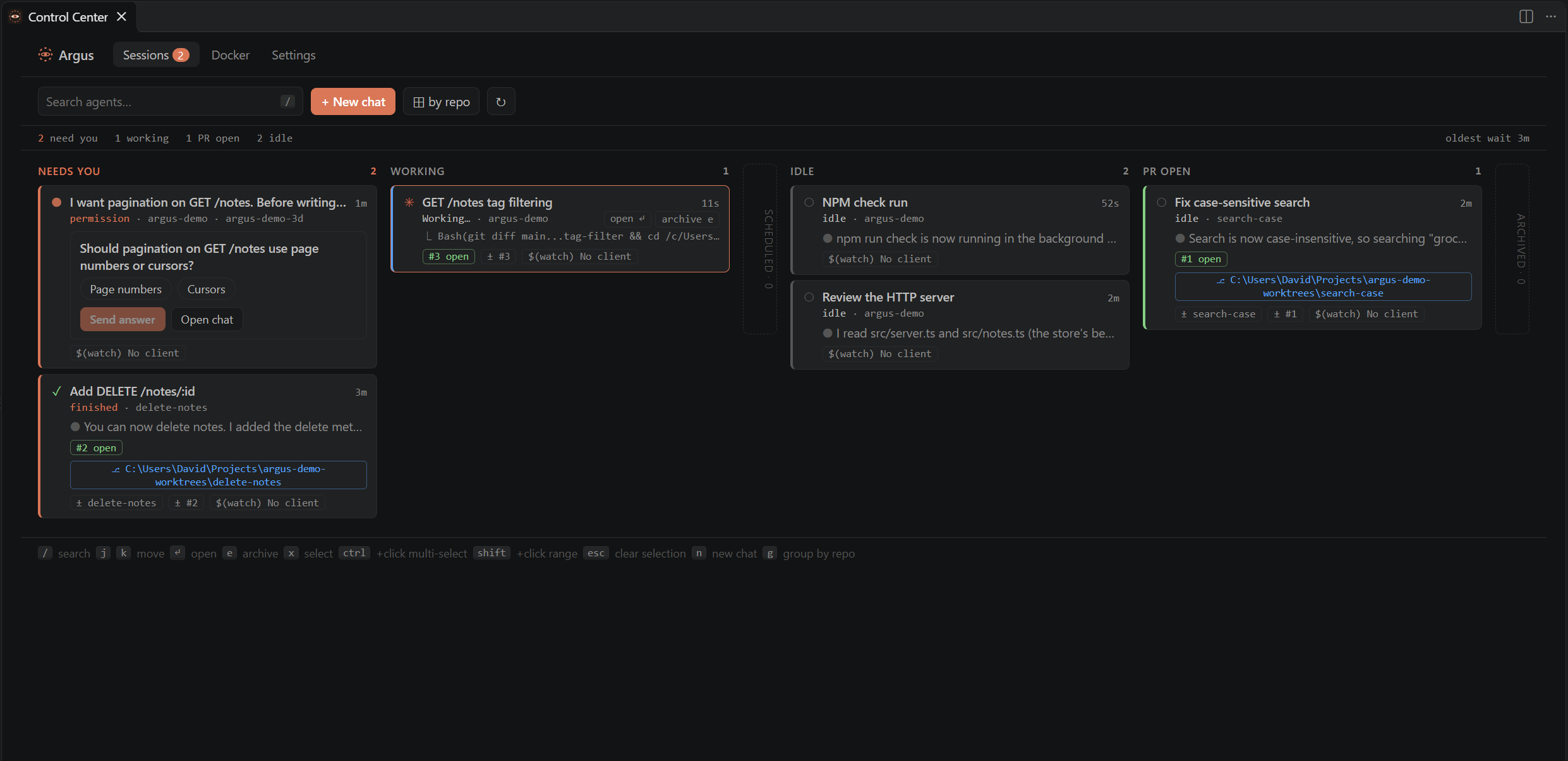
Sessions tab
Everything the sidebar has, plus:
- Columns side by side. Press
g(or click by repo) to split them into one row per repo, with repos that need you first. - Search through every prompt and reply in each session’s transcript, archived sessions included, with the matching text shown on the card. It starts at three characters.
- The sub-agents running in each session, by type.
- Cards waiting on a permission or question from an Argus chat expand in place: Allow once, Always allow or Deny, or choose an option and Send answer. Plan approvals open the chat.
- Multi-select for bulk archiving: ctrl/⌘-click cards, shift-click for a range, or press
xon the selected card. A bar shows how many are picked with Archive (ore), Unarchive, Select all shown and Clear (Esc). Worktree and plugin cleanup for the whole batch is offered in one prompt.
Settings tab
Argus: Settings opens the Control Center on a Settings tab that edits every Argus setting, Chat first, with a search box that filters them. Toggles, dropdowns (with each option’s description), text and number fields save to your user settings as you change them. Reset removes your value, and a note shows when a workspace setting overrides it. Object and list settings open settings.json; Open in VS Code Settings opens the standard Settings UI filtered to Argus. Every setting is listed on the Settings page.